
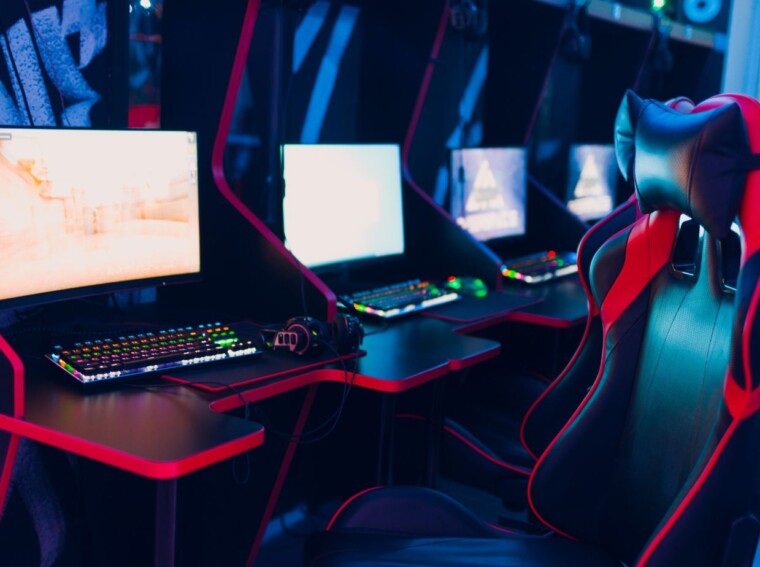
When I look at my own gaming station, I see more than just a desk and a computer. I see a headquarters, a cockpit, and a place where I spend hours chasing high ranks, joining raids, and competing against the best. Just like an athlete preps their gear, we gamers need to treat our setups with the same level of care and precision. The truth is, how well you play isn’t solely about your skill; it’s about how well your environment supports your skill.
We are going to walk through the exact steps I take to tune my setup for long sessions. It’s a process that moves beyond simply having the newest graphics card. We will focus on the small tweaks and adjustments that keep you comfortable, reduce fatigue, and give you that competitive advantage, whether you are trying to increase your rank in a fast-paced shooter or just looking to enjoy an immersive single-player title. If you are already looking for game tips, take a look at the Know the Game section on our site.
Optimizing Your Battle Station’s Ergonomics
Getting the physical layout of your setup right is perhaps the most important foundational step. If your body is uncomfortable, your mind can’t focus on the game. Poor ergonomics lead to back pain, neck strain, and eventually, reduced performance because you just want to quit early.
I always tell my friends that a proper setup should feel invisible. You shouldn’t be noticing aches and pains; you should be completely immersed in the action. We need to make sure your chair, desk, and monitor are all working together to support your body in a natural, stress-free position. This is the starting point for any serious player.
Securing the Perfect Gaming Seat
Your gaming chair is your command center, and spending money here is an investment in your health and your performance. I see too many people sitting on kitchen stools or old office chairs, and they wonder why they can’t sit still for more than an hour. A dedicated gaming seat is engineered to support your posture during specific periods of high focus.
A good chair isn’t just about padding; it’s about adjustability. You should be able to change the seat height so your feet are flat on the floor or a footrest, and your knees are at a 90-degree angle. The seat pan depth should allow about two inches between the back of your knees and the edge of the seat, stopping pressure that can hurt circulation. If you want more details on making a great selection, check out our Gaming Chair Buying Guide: What to Look For.
The Right Lumbar Support
Lumbar support refers to the backing of the chair that supports the inward curve of your lower back. When you slump, you put a huge amount of pressure on your spine. Proper lumbar support helps keep your spine in its natural S-shape.
Some chairs have built-in adjustable lumbar systems, while others use a separate cushion. I prefer the built-in system as it stays in place better. Make sure whatever system you use hits your lower back right at the belt line for maximum support.
Armrest Adjustment Matters
This is where many people make mistakes. Your armrests shouldn’t just hold your elbows; they should allow your forearms to rest parallel to the floor. When your forearms are supported, you remove strain from your shoulders and neck.
Adjust the height of the armrests so that they are level with your desk surface. This creates a continuous, supported surface for your arms as you move between the keyboard and mouse. It’s a small adjustment that makes a significant difference in long sessions.
Finding the Ideal Monitor Position
The placement of your monitor directly affects eye fatigue and neck strain. If you are constantly looking up or down, or moving your head left or right to see the full screen, you are hurting your endurance. Getting this right means you can focus on the Latest News in your game without physical distraction.
I recommend using a monitor arm if possible. It allows for quick, precise changes to height and depth. If you have a standard stand, ensure you use books or a riser to get the height correct. The top edge of your monitor screen should be slightly below eye level.
Measuring Monitor Distance
The general rule is that your monitor should be about an arm’s length away from you. For larger screens, like 32 inches or more, you may need to sit back a little further. The goal is for your eyes to comfortably take in the entire screen without having to move your head.
You should also adjust the angle. Tilting the screen slightly backward can help reduce glare from overhead lights. For competitive games, having the monitor centered directly in front of you prevents reaction time loss from scanning side-to-side.
Boosting Hardware for Peak Performance
A high frame rate and low input lag are non-negotiable for serious gaming, especially in titles like Call of Duty. While ergonomics handle your body’s comfort, hardware optimization handles the game’s responsiveness. Every millisecond counts, and getting your hardware tuned is the only way to shorten that gap between seeing an enemy and reacting to them.
Many new gamers overlook how important consistency is. It’s not enough to hit 144 FPS sometimes; you need to maintain that frame rate during the most intense parts of the game. A sudden drop in frames can be the difference between winning and losing a gunfight.
The Frame Rate Advantage
Frame rate (FPS) is simply how many images your screen shows every second. Higher FPS means smoother motion and lower visual delay. If you have a 144Hz monitor, your goal is to consistently hit 144 FPS or higher. This level of smoothness helps your brain process fast movements much more accurately than a standard 60 FPS monitor.
For competitive titles, I always lower graphics settings that don’t directly impact visibility. Things like shadows, volumetric fog, and complex anti-aliasing are often set to medium or low. While the game may not look quite as pretty as it could, the performance boost is well worth the trade-off. It’s a classic example of function over flair in the gaming world.
Balancing Graphics and Speed
When you are setting up, open your game’s settings and start experimenting. For example, draw distance is crucial in large open-world games, but complex texture quality often is not. Turn down settings that tax your GPU without giving you a clear advantage.
The balance is found when your FPS is stable, typically within 10-15 frames of your monitor’s refresh rate. If you have a 240Hz monitor and are only getting 120 FPS, you are wasting half of your monitor’s capability and need to adjust settings further or look into hardware upgrades.
Cutting Down on Input Lag
Input lag is the delay between when you move your mouse or press a key and when the game registers that action. This is where high-quality peripherals and proper setup become key. I’ve seen too many gamers blame the game when their equipment is the real bottleneck.
We are talking about milliseconds here, but in competitive gaming, a millisecond is forever. To reduce input lag, you must use wired peripherals where possible, use a high-refresh-rate monitor, and make sure your computer is not running unnecessary background processes. Sometimes, a good game session means knowing when to pause, step away, and reset your mind, making sure you have Everything for 420 ready for that well-deserved moment of calm.
Polling Rates and You
Polling rate is how often your mouse or keyboard reports its position to your computer. It’s measured in Hertz (Hz). A 1000Hz polling rate means the device reports its position 1,000 times per second, or every 1 millisecond.
If you are serious, make sure your mouse and keyboard are both set to 1000Hz. Some older peripherals default to lower rates like 125Hz or 500Hz, which adds unnecessary lag. Check the software for your specific peripheral; this is a setting you can usually change quickly.
The Power of a Clean and Minimal Setup
A cluttered desk leads to a cluttered mind. It sounds dramatic, but it’s true. A clean space removes visual noise, helping you maintain focus for hours. It also gives you more physical space for aggressive mouse movements during intense matches like those in Escape from Tarkov. If you play titles like this, review our tips on Surviving the Scavenger Life: Tips for Playing as a Scav in Escape from Tarkov.
I try to keep only essential items on my desk: monitor, keyboard, mouse, and a drink. Anything else is just a distraction. A minimal setup also looks professional, which is important if you ever plan on Enhancing Viewer Engagement in Game Streaming.
Mastering Cable Control
Nothing ruins the look and feel of a setup faster than a tangle of loose cables. Not only is it ugly, but loose cables can snag your mouse wire or make it nearly impossible to swap out a component when you need to. Cable management is a one-time setup that pays off forever.
Start with simple things like Velcro ties, which are better than zip ties because they are reusable. Run your power and video cables together neatly along the back of your desk. Consider buying a cable tray that screws underneath your desk to hold power bricks and excess wire length.
Hiding Wires for a Clean Look
If your desk is against a wall, use adhesive cable raceways to run wires down to the wall outlet discreetly. If your desk is away from the wall, you need to focus on routing all cables down a single central path, securing them tightly so they disappear behind the desk legs.
I also like to use wireless charging pads built into the desk surface for devices like phones and headsets. This reduces the need for visible charging cables and keeps the surface clean.
Keeping Your Gear Spotless
Dust is the enemy of performance. It gets into your PC fans, causing components to overheat, which leads to thermal throttling and dropped frame rates. It also gets under mouse sensors and keyboard keys, reducing responsiveness and longevity.
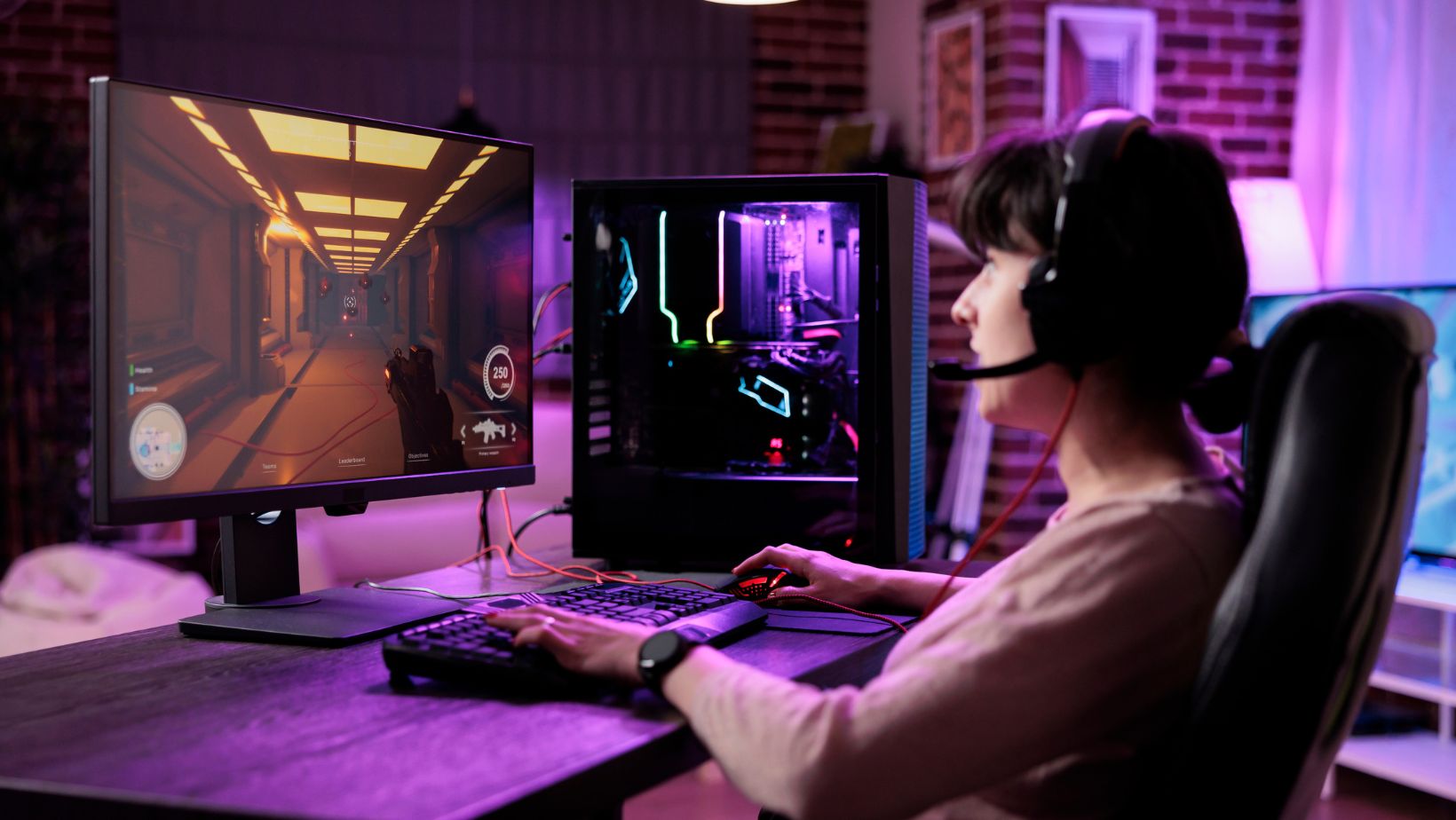
I use a can of compressed air every few months to blast dust out of my PC case, and I wipe down my monitor and desk surface every week. It seems minor, but preventing overheating is key to maintaining consistent performance during long sessions.
Quick Cleaning Habits
It only takes five minutes to wipe down your mouse, keyboard, and headset with a micro-fiber cloth. For mechanical keyboards, a small brush can help clear debris between the keycaps.
I also recommend cleaning your mouse pad regularly. If you use a cloth pad, it accumulates sweat and dirt, which affects how smoothly your mouse glides. Most cloth pads can be hand-washed with mild soap and air-dried.
Sound Strategy: Audio Optimization
In competitive games, sound is often more important than sight. Knowing the direction of footsteps, the type of weapon being used, or the proximity of an enemy grenade provides vital information. Proper audio optimization can turn a seemingly hopeless situation into an easy flank.
Beyond competitive gaming, great sound enhances immersion in any game. Whether you are playing a tactical shooter or enjoying a narrative-driven RPG, high-quality, properly configured audio makes the experience much richer. This is especially true for Online Gaming with friends.
Positional Audio is Key
Positional audio is the ability to accurately determine the direction and distance of sounds in the game environment. Most modern games use 7.1 surround sound or spatial audio systems. You need a headset capable of reproducing these subtle cues accurately.
I typically opt for a mid-range to high-end wired headset. While wireless is convenient, a good wired headset generally offers better sound fidelity and zero latency, which is essential for hearing that single footstep in a quiet moment. If you are serious about games like Warzone 2, review the Principles of playing Warzone 2 that will help you increase your rank.
Open-Back vs. Closed-Back
Headsets generally come in two designs: open-back and closed-back. Closed-back headsets isolate sound, preventing noise from leaking in or out. They provide a more punchy bass, which is great for immersion.
Open-back headsets have vents that allow air and sound to pass through. This creates a wider, more natural sound stage, which is often better for pinpointing enemy locations because the sound feels less “stuck” inside your head. The downside is that everyone around you can hear your game audio.
Clear Communication
If you play multiplayer games, your microphone is just as important as your headset. Poor mic quality is annoying to your teammates and can cause you to miss out on key tactical communication. You need to be heard clearly and without distortion.
Most good gaming headsets come with a decent microphone, but a dedicated USB microphone will always offer superior clarity. I always recommend placing the microphone just to the side of your mouth to prevent breathing sounds from being picked up.
Adjusting Mic Gain
Gain refers to the sensitivity of your microphone. If the gain is too high, it will pick up every background noise: keyboard clicks, your chair creaking, and family members talking. If it’s too low, your teammates can barely hear you.
You need to find the sweet spot in your operating system’s sound settings or the microphone’s dedicated software. I recommend testing it with a teammate while you are playing to find the perfect level where your voice is clear and the background noise is minimal.
Mental Game and Break Habits
Even the best setup in the world cannot stop mental fatigue. Playing for hours on end without a break leads to slow reaction times, poor decision-making, and general frustration. Optimizing your setup includes optimizing your mindset and routines. This is often the forgotten pillar of high-level play.
I’ve personally found that stepping away from the screen for just ten minutes can improve my performance more than any hardware upgrade. It gives your eyes a rest and allows your brain to process the information and stress from the previous session.
Scheduling Strategic Downtime
Don’t wait until you are frustrated or tired to take a break. Schedule them. Set an alarm to go off every 60 to 90 minutes. When the alarm sounds, stand up, walk away from the computer, and look at something far away for a few minutes.
Taking short, planned breaks prevents burnout. It keeps your eyes fresh and your reflexes sharp. Use that time to stretch, grab some water, or just clear your head before jumping back into the fray. This simple habit can seriously help How to Reduce Anxiety and Stress While Gaming?.
Setting Break Timers
I use a simple interval timer on my phone or a web browser extension. It’s a passive reminder that doesn’t rely on my internal feelings of fatigue. The key is to commit to the timer.
When the timer goes off, you stop whatever you are doing, even if you are in the middle of a match. The discipline of taking the break is what trains your brain to stay focused during the playing window.
Post-Session Routine for Relaxation
After a long session, especially a competitive one, it’s hard to just shut off your brain. You are often still running over plays and stressful moments. This is why a wind-down routine is essential for good sleep and long-term mental health.
I recommend doing something completely unrelated to screens. Read a book, listen to a podcast, or do some light stretching. The goal is to signal to your brain that the high-intensity period is over. This is true whether you are focused on Old School Games or the latest titles.
Simple Relaxation Tools
Finding tools that help you shift your mind away from the intensity of the game is key. This could be anything from a simple mindfulness routine to a calming cup of herbal tea. Having a personalized relaxation process helps you maintain a healthy relationship with your hobby.
Small Accessories That Make a Huge Difference
We’ve covered the big items, but it’s often the small, affordable accessories that complete the optimized gaming experience. These items fill the gaps, providing comfort, precision, and efficiency that you didn’t know you were missing. This is where we go from a good setup to a great one.
These small accessories often address minor points of friction or discomfort that build up over time. Getting them right solidifies your setup’s ability to support you for a lengthy run. They aren’t as exciting as a new graphics card, but they are just as important for performance. For more on tools, check out Powering Up Play: Essential Tools for Hardcore Gamers.
Precision and Control from Your Mouse Pad
A mouse pad is not just a surface for your mouse; it is a critical tool for control. A cheap or worn-out mouse pad introduces uneven friction, which affects your aim and muscle memory. The right pad can dramatically improve consistency.
Mouse pads are categorized by their speed or control surfaces. Speed pads are slick and allow the mouse to glide quickly, favoring quick, wide movements. Control pads are textured and offer more friction, helping you make small, precise adjustments. Your choice depends entirely on your game style and sensitivity setting.
Hard vs. Cloth Surfaces
Hard pads are often made of plastic or aluminum and offer the fastest glide with the least friction. They are great for high-sensitivity players who need extremely quick movements, and they are also the easiest to clean.
Cloth pads are generally preferred by low-sensitivity players because the textured surface gives them more stopping power and control. They are also quieter and more comfortable on the wrist. Try both types to see what feels best for your personal aiming style. For other great gadgets, see our guides like 8 Gadgets for Getting the Most Out of the JOI Image Generator.
Lighting for Comfort and Mood
Bad lighting can cause glare on your monitor, forcing your eyes to work harder and leading to strain. Optimizing your ambient light is crucial for minimizing fatigue and creating an immersive atmosphere.
I recommend avoiding having a bright light source directly behind your monitor or directly over your head. The goal is to reduce the contrast between the brightness of your screen and the surrounding environment. This helps your eyes relax and stay focused on the game.
Avoiding Eye Strain with Proper Lighting
Bias lighting is the term for placing a light strip behind your monitor, illuminating the wall behind it. This reduces eye fatigue by lowering the overall light contrast. I prefer a soft, neutral white light, as overly aggressive colors can be distracting.
Another tip is to adjust your monitor’s brightness. Most monitors are set too bright right out of the box. Calibrate the brightness so it matches the general ambient light level in your room. This attention to detail will help you in everything from Call of Duty Heroes: Strategy and Action Unite to The Top 10 Cool Home Gadgets to Upgrade Your Smart Living Experience in 2023.
Conclusion
Building the ultimate gaming headquarters is a journey of continuous refinement, not a one-time purchase. It involves balancing hardware performance with physical comfort and mental health. By paying attention to ergonomics, optimizing your frame rates, managing your cables, and making sound your tactical advantage, you set yourself up for sustained excellence.
I encourage you to spend an afternoon making these adjustments. Go through each section of your setup and make one small improvement. I promise that focusing on these details—from the perfect chair height to the right break schedule—will make your sessions more enjoyable, less painful, and ultimately, more successful.