
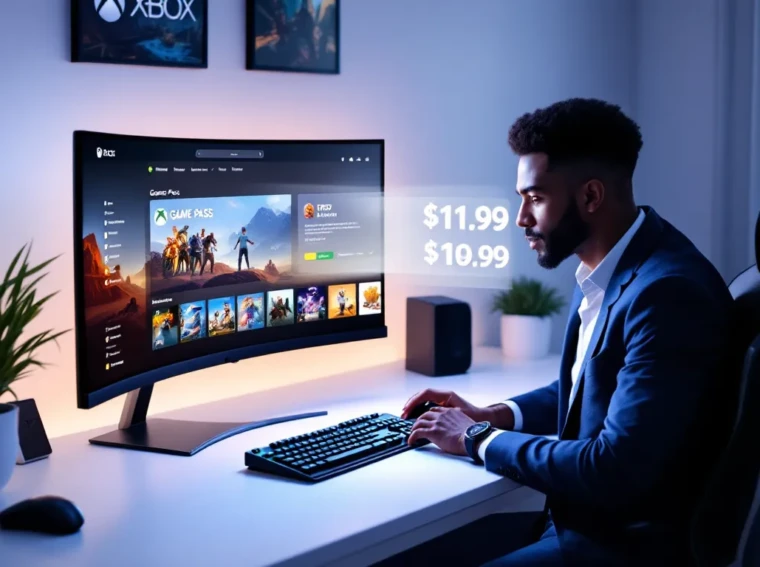
If you’ve been considering jumping into Xbox’s ecosystem or expanding your current gaming library, the most common question hitting your mind is probably: how much does Xbox Game Pass actually cost? Here’s the thing, Microsoft’s subscription service has evolved significantly since its launch, and understanding the different tiers, pricing structures, and what you’re actually getting for your money is crucial before you commit. Whether you’re a console gamer, a PC enthusiast, or someone who plays across both platforms, there’s a Game Pass option designed for you. This guide breaks down every pricing tier, explains what’s included in each, and helps you figure out which subscription makes sense for your gaming habits and budget.
Key Takeaways
- Xbox Game Pass offers three tiers: Console ($11.99/month), PC ($11.99/month), and Ultimate ($19.99/month), each tailored to different gaming platforms and needs.
- Game Pass Ultimate provides the best overall value at $19.99 per month by bundling console and PC access, Xbox Live Gold, and EA Play together, saving money compared to purchasing subscriptions separately.
- The Xbox Game Pass library refreshes monthly with 8-12 new games, including day-one releases of Microsoft exclusives like Starfield and Forza Horizon 5, providing constant variety and discovery.
- New subscribers can take advantage of promotional offers like 50% off the first month or convert existing Xbox Live Gold credits to Game Pass Ultimate at favorable rates.
- Choose Console or PC Game Pass for single-platform gaming, or upgrade to Ultimate if you game across multiple platforms, play online multiplayer, or want access to EA titles and cloud gaming features.
What Is Xbox Game Pass?
Xbox Game Pass is Microsoft’s subscription service that gives you access to a rotating library of games across Xbox consoles, PC, and cloud gaming. Think of it like Netflix, but for video games, you pay a monthly fee and get instant access to hundreds of titles without owning them individually.
Launched in 2017, Game Pass has grown from a modest service with a few dozen games into one of the industry’s most compelling value propositions. The library includes first-party Microsoft exclusives, third-party blockbusters, day-one releases, and indie gems. Microsoft has invested heavily in the service, acquiring major studios like Bethesda and Activision Blizzard to beef up its catalog.
What makes Game Pass particularly attractive to gamers is the day-one availability of new releases. When a major Microsoft exclusive drops, like Starfield, Forza Horizon 5, or upcoming titles, it hits Game Pass on launch day. You’re not waiting months for the price to drop: you’re playing it immediately if you’re subscribed.
The service spans multiple platforms, which is where things get interesting. You can play on Xbox consoles, Windows PC, or stream games to compatible devices. This flexibility is a big reason why Game Pass has accumulated millions of subscribers worldwide. For casual players, this means less financial commitment. For enthusiasts, it’s a way to explore genres and franchises without the $60-70 upfront investment per game.
Xbox Game Pass Subscription Tiers And Pricing
Game Pass For Console
Game Pass for Console costs $11.99 per month and is exclusive to Xbox Series X
|
S and Xbox One hardware. This tier gives you access to the full Game Pass library on your console, but it doesn’t include cloud gaming or PC access. If your primary gaming happens on an Xbox console, this is your baseline option.
The console tier is the most affordable entry point if you’re not interested in PC gaming or cloud play. You get the same library refresh as other tiers, Microsoft regularly adds and rotates games, and all day-one exclusives.
Game Pass For PC
Game Pass for PC also runs $11.99 per month and is exclusively for Windows gaming. The PC library isn’t identical to the console library: some games are console-exclusive, while others are PC-exclusive. This tier includes cloud gaming capabilities, allowing you to stream games to compatible devices, though the quality depends on your internet connection.
If you’re primarily a PC gamer, this tier makes sense. You’ll have access to massive AAA titles alongside indie darlings, and the library skews heavily toward both competitive shooters and story-driven RPGs that perform well on PC hardware.
Game Pass Ultimate
Game Pass Ultimate is the premium tier at $19.99 per month and it’s the all-in-one subscription. Here’s what you get:
- Access to the full library on console, PC, and cloud
- Xbox Live Gold included (online multiplayer, monthly games)
- Access to EA Play, which adds hundreds more games from Electronic Arts
- Day-one access to new releases across all platforms
- Exclusive discounts on game purchases
Ultimate is expensive compared to the individual tiers, but the value proposition is substantial. You’re essentially bundling Game Pass (console + PC), Xbox Live Gold, and EA Play into one subscription. If you’re someone who jumps between platforms or wants every possible option, Ultimate is the obvious choice.
As of March 2026, these prices represent the standard monthly costs. Microsoft occasionally runs promotional offers or discounts for first-time subscribers, typically 50% off the first month for new members.
What Games Are Included In Each Tier?
Console Exclusive Titles
The Game Pass console library is loaded with first-party Microsoft exclusives and third-party blockbusters. You’ll find the entire Halo franchise, Forza Motorsport series, Gears of War games, and Starfield on day one when it launches. The library also includes cult classics like Doom, Dishonored 2, and the entire Fallout series up to Fallout 4.
Beyond the big names, console Game Pass includes a rotating selection of indie games. Titles like Outer Wilds, A Plague Tale: Innocence, and Psychonauts 2 have cycled through the service, giving players access to high-quality smaller projects. The library refreshes monthly, some games leave, new ones arrive, so there’s always something fresh to discover.
Third-party publishers like Ubisoft, Take-Two, and 2K Games have partnerships with Xbox to bring titles like Elden Ring, Dark Souls III, and Starfield to subscribers. These aren’t typically available on other gaming subscription services, which makes Game Pass unique.
PC Gaming Library
PC Game Pass overlaps significantly with the console library but has its own flavor. You get the same first-party exclusives like Flight Simulator 2024, Halo: The Master Chief Collection, and Starfield, but the PC version often adds games that run better or are optimized specifically for keyboard-and-mouse gameplay.
Competitive titles dominate the PC library more heavily than console, games like Counter-Strike, Team Fortress 2, and various battle royales are available. PC-exclusive or PC-first games like Age of Empires IV and Pentiment are permanent fixtures. The EA Play inclusion on Ultimate gives PC subscribers access to The Sims 4, Star Wars: The Old Republic, Madden NFL, and FIFA (now EA Sports FC).
The cloud gaming feature on PC lets you stream games from Microsoft’s servers, which is useful if your system can’t run newer AAA titles at high settings. It’s not perfect, streaming introduces latency and potential image quality loss, but it’s increasingly viable for single-player or turn-based games.
Ultimate Benefits And Perks
Ultimate subscribers get everything both console and PC offer, plus several exclusive perks:
- Xbox Live Gold bundled in: This is the multiplayer backbone for online gaming on Xbox. Without Gold, you can’t join online multiplayer sessions. If you’re gaming online, Gold is mandatory, so bundling it into Ultimate saves you money.
- EA Play full access: All EA Play titles are included, which is roughly 50-60 games depending on the current rotation. This alone adds significant value if you play sports games, Star Wars titles, or anything from EA’s massive catalog.
- Game Pass Perks: Exclusive in-game items, cosmetics, and occasional free bonus games. These perks rotate seasonally and vary by game.
- Discounts on Game Pass games: Ultimate members get 10% off purchases of games in the library, useful if you want to own a title after playing it through the subscription.
The gap between $11.99 and $19.99 doesn’t seem huge, but the inclusion of Gold and EA Play bridges a real value gap. If you’d buy Gold separately ($9.99/month) and subscribe to EA Play ($4.99/month), you’re already at $26.97. Ultimate at $19.99 is the smarter financial move if you use all the services.
How To Subscribe To Xbox Game Pass
Setting Up On Console
Subscribing to Game Pass on your Xbox is straightforward. Press the Xbox button on your controller to open the guide, navigate to Game Pass, and select the tier you want. If you don’t have a payment method on file, you’ll need to add one, credit card, debit card, or PayPal are accepted.
If you already have an Xbox account (Microsoft account), you’re halfway there. Your account ID is linked to your console profile, so once you subscribe, the service activates immediately. Any other profile on your console gets access to your Game Pass library, which is a nice bonus for households with multiple gamers.
If you’re new to Xbox, create a Microsoft account, add it to your console, and proceed with subscription. The whole process takes about five minutes.
Setting Up On PC
PC setup requires the Xbox App (Microsoft’s gaming client for Windows). Download it from the Microsoft Store or Xbox.com. Launch the app, sign in with your Microsoft account, and navigate to Game Pass. You’ll see the three subscription options: select the one you want and add a payment method.
Once subscribed, the Game Pass library appears in your app. Games download and install like any other app, they take up storage on your hard drive, so ensure you have adequate space for the titles you want to play. Unlike console Game Pass, PC versions don’t come pre-installed: you download them on-demand.
Cloud gaming on PC requires a Game Pass Ultimate subscription and a stable internet connection (minimum 5 Mbps for 1080p/60fps). You access cloud games through the Xbox App or via browser at xbox.com/play. The experience varies based on your connection quality and the game you’re playing.
Game Pass Ultimate vs. Standard: Which Subscription Is Right For You?
Cost-Benefit Analysis
Let’s do the math. If you subscribe to Game Pass for Console ($11.99/month) and separately buy Xbox Live Gold ($9.99/month), you’re spending $21.98 monthly. Game Pass Ultimate at $19.99 saves you $1.99 per month, not massive, but it also includes EA Play ($4.99/month value), meaning Ultimate is actually $6.98 cheaper than paying for all three separately.
Now, if you don’t care about EA Play, the savings shrink. Console Game Pass + Gold is $21.98, while Ultimate is $19.99, a $1.99 difference. Depending on whether you play EA titles, the value proposition shifts.
For PC-only gamers, Game Pass for PC alone ($11.99/month) is solid if you don’t need multiplayer or EA games. Add console gaming to the mix, and Ultimate becomes the obvious choice because you’re consolidating multiple subscriptions.
The real question: Do you actually use everything you’re paying for? If you buy Ultimate but never touch EA Play titles and rarely play online multiplayer, you’re overpaying. If you bounce between console and PC, play FIFA/Madden, and use Xbox Live regularly, Ultimate is a steal.
Gaming Habits And Platform Preferences
Your ideal Game Pass tier depends on how and where you game:
Choose Console Game Pass if: You own an Xbox console, rarely play on PC, don’t need online multiplayer (though this is rare for console gamers), and don’t care about EA titles. You’re a single-platform, primarily single-player or local co-op gamer.
Choose PC Game Pass if: You’re a Windows PC gamer exclusively, play single-player story games primarily, and don’t need Xbox Live Gold. PC Game Pass is perfect for someone who dabbles in cloud streaming but doesn’t require high-performance online multiplayer.
Choose Ultimate if: You game across console and PC, play online multiplayer regularly, enjoy sports games or other EA titles, or want every option available. Ultimate is the premium experience, no compromises, maximum flexibility.
A practical approach: Start with console or PC (whichever matches your primary platform) at $11.99, see if you’re actually using the library, then upgrade to Ultimate later if you find yourself wanting more. You’re not locked into a contract: you can cancel or downgrade monthly.
One last consideration: Microsoft’s recent updates to Game Pass have adjusted pricing and added benefits, so it’s worth checking the official Xbox website to see if any promotions apply to your account.
Money-Saving Tips For Xbox Game Pass Subscribers
Promotional Offers And Discounts
Microsoft regularly runs promotional pricing for Game Pass, especially during major sales events. New subscribers often get 50% off the first month of Game Pass or Ultimate. During Black Friday, Cyber Monday, and holiday periods, expect deeper discounts, sometimes $1 for three months of Game Pass Ultimate.
If you’ve been away from Game Pass, reactivating your account sometimes triggers a “welcome back” offer. These promos are usually one-time per account, but they’re worth checking if you lapsed your subscription.
Another trick: If you have an Xbox Game Pass trial available (new accounts sometimes get free trial days), use it to test the service before committing. Trials let you explore the library risk-free for 7-14 days depending on the offer.
Xbox Live Gold subscribers can convert their remaining Gold balance to Game Pass Ultimate at a favorable rate. This conversion has changed over time, but historically, one month of Gold converts to roughly one week of Ultimate. If you have a year of Gold banked, converting it to Ultimate is an excellent value play.
Game Pass With Xbox Live Gold
The bundling of Xbox Live Gold in Game Pass Ultimate deserves emphasis because it fundamentally changes the value calculation for online gamers. If you’re playing Fortnite, Call of Duty, Destiny 2, or any multiplayer title on Xbox, Gold is non-negotiable. It’s not optional, it’s the subscription that unlocks online play.
People sometimes forget this when evaluating Game Pass pricing. When you see “Game Pass Ultimate is $19.99,” remember that includes the $9.99 Gold subscription. You’re not adding them together: Gold is built in. This makes Ultimate the only sensible choice for anyone playing online multiplayer on Xbox console.
For PC gamers, online multiplayer in most games is free (you don’t need Gold to play online on PC). This is why PC Game Pass at $11.99 without Gold included is perfectly adequate for PC-only players. The Gold inclusion matters primarily to console gamers.
If you subscribe to Ultimate but only play offline single-player games, you’re technically not utilizing the Gold component. In that niche scenario, standard Console Game Pass ($11.99) would be cheaper. But realistically, if you own an Xbox console, odds are you’ll want to play at least some online multiplayer, making Ultimate the practical choice.
Frequently Updated Game Lineup And Seasonal Additions
Game Pass isn’t a static library. Games arrive monthly and leave on announced dates, keeping the catalog fresh and preventing subscriber fatigue. Microsoft publishes a schedule of arrivals and departures on the Xbox Game Pass website, so you can plan which titles to prioritize before they rotate out.
As of March 2026, the service adds approximately 8-12 new games per month across all platforms. These include day-one exclusives, third-party AAA releases, and indie titles. For example, upcoming major releases are added immediately upon launch if they’re Microsoft-owned IPs or part of publishing partnerships.
Microsoft also highlights “Game Pass Perks”, exclusive bonuses tied to specific games. These are often cosmetics, battle pass weeks, or season pass content. If you’re playing Halo Infinite or Forza Horizon 5, checking the Perks section in your Game Pass menu reveals what extras you can claim for free.
Seasonal additions often align with real-world events and gaming calendar moments. During sports game releases, EA sports titles get prominent featuring. When a major franchise releases a new entry, it typically lands on day one. This means your subscription’s value proposition changes throughout the year, a game you dismissed three months ago might become a “must-play” as the meta evolves or the community grows.
The rotating nature of Game Pass is both a strength and a weakness. The upside: constant variety and lower pressure to finish games (you’re paying per month, not per purchase). The downside: games you love eventually leave, and once they do, accessing them requires purchase or waiting for a re-rotation. Most gamers deal with this by downloading games they want to keep before they leave the service or by just accepting that Game Pass is about constant discovery rather than permanent ownership.
One practical note: If you’re using cloud gaming, internet connection quality significantly impacts gameplay. Streaming a fast-paced shooter or competitive game requires a solid connection (15+ Mbps recommended). Single-player story games, turn-based strategy, and slower-paced titles are more forgiving of connection variance.
Conclusion
Xbox Game Pass is one of gaming’s best values in 2026, but the right tier depends entirely on your platform, gaming habits, and whether you’re buying online multiplayer. Game Pass for Console or PC at $11.99 covers single-platform gaming, while Game Pass Ultimate at $19.99 bundles everything, console, PC, cloud gaming, Xbox Live Gold, and EA Play, into one subscription. New subscribers should start with a promotional offer if available, test the library, and upgrade to Ultimate only if they’re gaming across multiple platforms or heavily using the included services. The constantly rotating game library ensures the catalog stays fresh, and Microsoft’s commitment to day-one releases means you’re not waiting months to play new exclusives. Whether you’re a casual player exploring indie games or a hardcore enthusiast chasing competitive multiplayer, Game Pass has something for your budget and playstyle. Check the official Xbox website or app for the latest promotions and library updates, pricing and offerings can shift, but the core value proposition remains solid.